
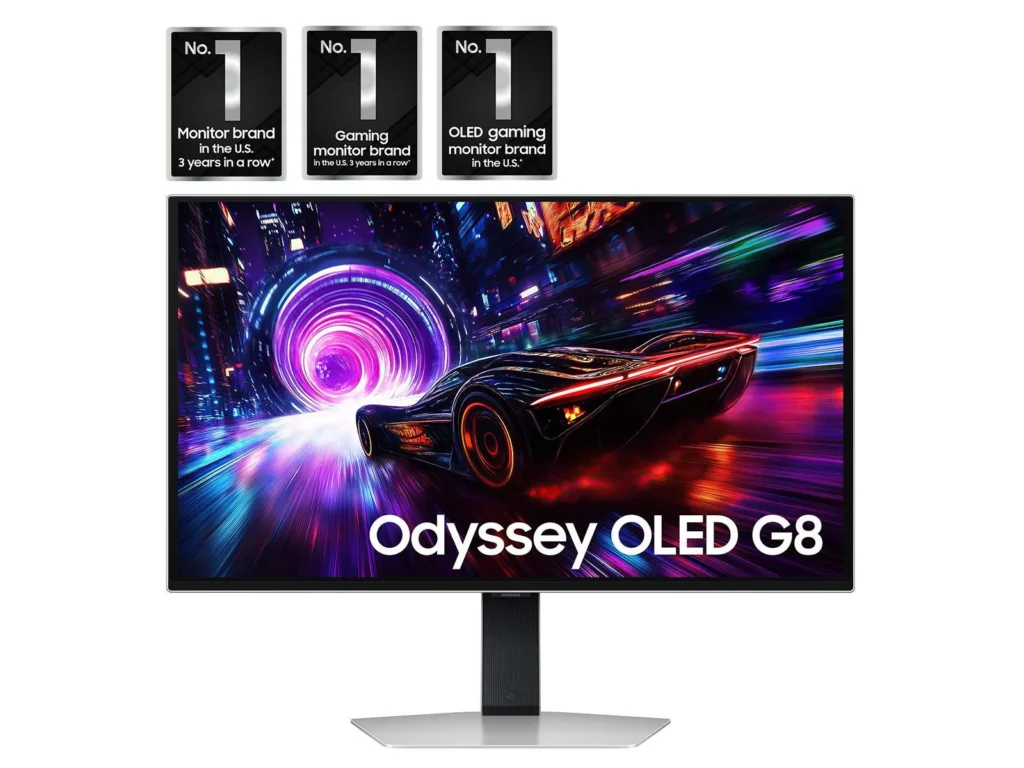
The 32-inch Samsung Odyssey G8 OLED is one of those upgrades that doesn’t hit you all at once. When I first turned it on, my honest reaction was, “Yeah, this looks good… but it’s not blowing my mind yet.” In fact, it reminded me a lot of my Mini-LED monitor at first. It was clearly high quality, but it didn’t immediately feel like a massive leap.
Then I loaded up a few ASUS ROG RGB wallpapers.
That was the moment everything changed. The contrast snapped into place, the colors exploded off the screen, and the blacks went from “dark” to truly invisible. Every bit of hesitation I had about the price disappeared in about 30 seconds. That’s when it finally clicked why people are so obsessed with OLED.
The Screen Is on Another Level
The display is easily the star of the show here, and honestly, it might be the best-looking screen I’ve ever owned. The colors are perfect without looking fake or oversaturated. Reds are deep, blues are rich, and neon-style colors look absolutely insane on this panel. Blacks are pure black, not dark gray, not washed out — just gone.
What really surprised me is how clean and controlled the brightness feels. Bright scenes pop hard, but they don’t feel harsh on the eyes. Dark scenes in games like Cyberpunk or Alan Wake actually show real detail instead of turning into muddy gray blobs like they do on a lot of LCD and Mini-LED panels.
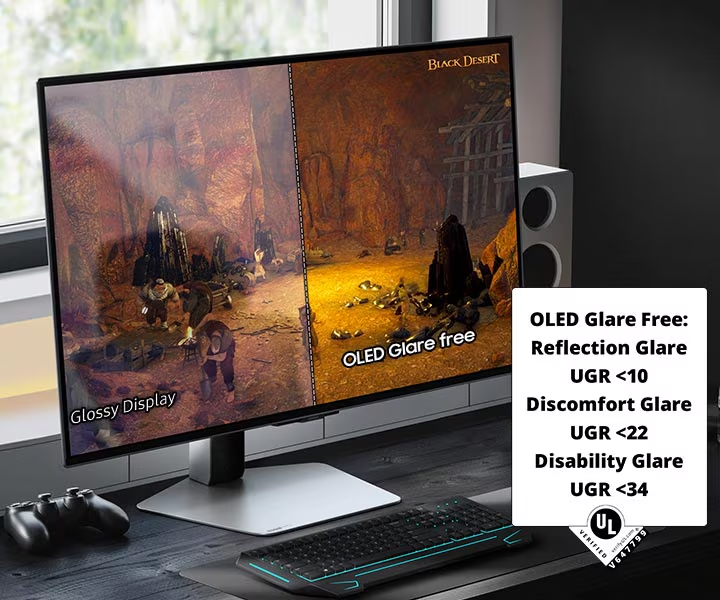
Another huge win: reflections. I was fully expecting OLED to be more mirror-like, but in my setup, the Odyssey G8 actually gets less glare than my 32-inch Mini-LED Neo G8. Daytime use is noticeably better than I expected, and it’s way easier to live with than people online make it sound.
The Moment OLED Finally Made Sense to Me
Before this monitor, I always thought OLED was overrated. I’d seen OLED TVs. I’d seen OLED laptops. They looked nice, but nothing that made me feel like I needed one.
This monitor changed that.
Once you see high-contrast wallpapers, HDR content, and modern games on this panel, it’s hard to go back. Everything just looks more three-dimensional. The image feels deeper, cleaner, and more premium. Even basic stuff like YouTube thumbnails, app icons, and dark-mode UIs look better than they have any right to.
This wasn’t just a small upgrade. It felt like a whole new tier of display tech.
Design: Thin, Light, and Desk-Friendly
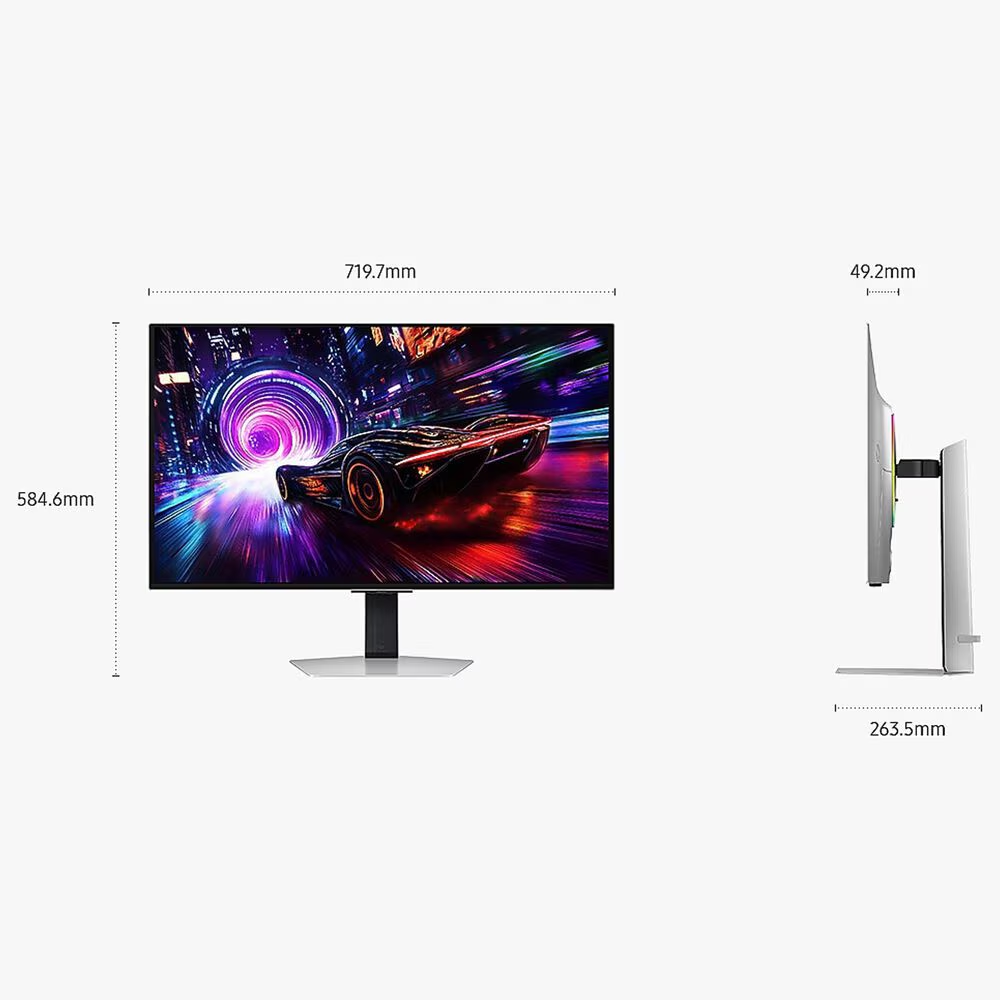
Physically, the Odyssey G8 looks and feels like a premium piece of tech. The screen itself is shockingly thin, especially for a 32-inch monitor. It doesn’t look like a bulky gaming monitor — it looks modern and high-end.
The weight surprised me too. For something this big, it’s way lighter than I expected, which made setup easy and also makes it perfect if you plan to put it on a monitor arm.
The stand is another underrated win. It barely takes up any desk space, which is huge if you’re working with a tight setup or multiple devices. It feels stable, clean, and way less intrusive than the chunky stands you get on most gaming monitors.
Overall, this thing just looks expensive in the best way.
I Chose the Non-Smart Version (And I’m Glad I Did)
I specifically bought the version without Smart TV features, and I’m really happy with that decision.
Don’t get me wrong — Samsung’s remote and over-the-air updates are cool. I’ve used their smart displays before, and they’re slick. But for a desk monitor, I don’t want ads, TV menus, or extra software layers. I just want a clean, fast, no-BS display that turns on and works instantly.
This version feels more focused and more “monitor-first,” which fits my setup perfectly. No distractions, no weird UI popups — just pure display.
The Button on the Back Doesn’t Bother Me at All
A lot of people complain about the control button being on the back of the monitor. Honestly? I don’t mind it one bit.
I’m used to older monitors that had buttons on the bottom, so I thought this would annoy me more than it did. But once you get used to the joystick-style control, it’s actually easy and intuitive. It’s responsive, the menus are clean, and it’s way better than mashing four tiny buttons trying to guess which one does what.
This wasn’t even close to being a dealbreaker for me.
Burn-In Protection and Warranty = Peace of Mind
Burn-in was the biggest mental hurdle for me when buying an OLED monitor. That anxiety is real.
Samsung helped kill that fear in two ways. First, they built in multiple burn-in protection features like pixel shifting and screen refresh tools. Second — and more importantly — this monitor comes with a 3-year warranty that includes Samsung Odyssey G8 burn-in coverage.
That alone is huge. It means I don’t have to baby this thing or treat it like a museum piece. I use it for gaming, YouTube, productivity, and long sessions without constantly worrying that I’m destroying a $1,000+ screen.
That peace of mind matters more than people realize.
My One Real Complaint: No USB-C
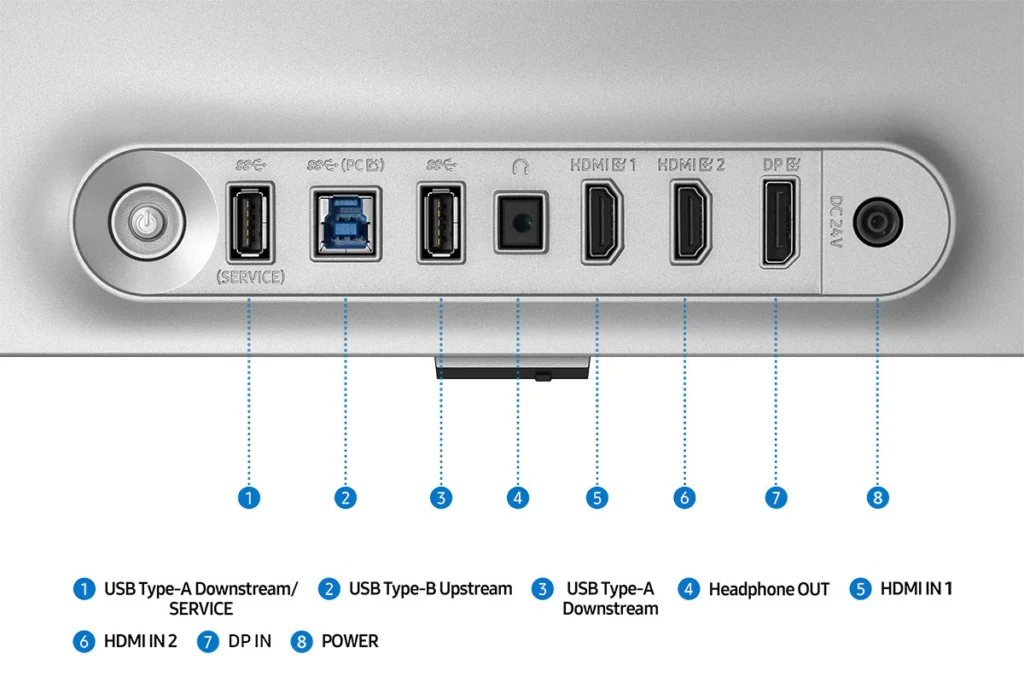
If there’s one thing that genuinely annoys me about this monitor, it’s the lack of USB-C.
I also use a MacBook Pro, and I really wanted a single-cable setup where one USB-C cable would handle display output and charging at the same time. Instead, I have to use HDMI, which works fine, but it’s just less clean and less convenient.
For a premium OLED monitor at this price, USB-C feels like an obvious miss. It’s not a dealbreaker, but it’s definitely something Samsung should fix in the next version.
Gaming on This Thing Is Unreal
For gaming, the Odyssey G8 is straight-up ridiculous.
Motion clarity is insanely smooth. Fast-paced games feel clean and responsive. Dark scenes finally look the way they’re supposed to instead of turning into gray soup. HDR content actually looks like HDR when it’s properly supported.
Games like Cyberpunk, Alan Wake, Call of Duty, and Hogwarts Legacy feel completely different on this display. The immersion jump is real. It doesn’t just make games look better — it makes them feel more cinematic.
This is the first monitor I’ve owned where I’ve caught myself just staring at the screen thinking, “This looks stupid good.”
It’s Just as Good for Everyday Use
This isn’t just a gaming monitor — it’s an everything monitor.
Text looks sharp and clean. Multitasking is easy with the 32-inch size. Watching YouTube and movies feels like having a mini home theater on your desk. Even boring stuff like email and spreadsheets looks better than it should.
It’s one of those displays that makes you enjoy using your PC more, even when you’re not gaming.
Final Verdict: Worth Every Penny
The Samsung Odyssey G8 32-inch OLED ended up being one of those purchases where the regret disappears the moment it finally clicks.
At first, it reminded me of my Mini-LED monitor. Then I loaded up some high-contrast wallpapers… and everything changed.
The screen is absolutely beautiful. The colors are perfect. The blacks are insane. Reflections are better than my Mini-LED. It’s thin, light, and desk-friendly. Burn-in protection and a 3-year warranty add real peace of mind. And the non-Smart version keeps things clean and focused.
My only real complaint is the lack of USB-C for my MacBook Pro.
Other than that?
This monitor is straight-up elite.
If you want a 32-inch OLED that works just as well for gaming as it does for everyday use, the Odyssey G8 is an easy recommendation.
Check out the Samsung Odyssey G8 Oled unboxing and quick assembly here on Youtube.
Find out why I returned the Acer Perdator Helios Neo 16S Oled gaming laptop.